RepairLogIQ
Repair estimate and bill checks
Paste a repair estimate or bill and see whether the parts, labor and total look reasonable for your area, line by line.
The question it answers“Am I being charged a fair amount for this repair?”
Works in your browser Desktop app in private beta
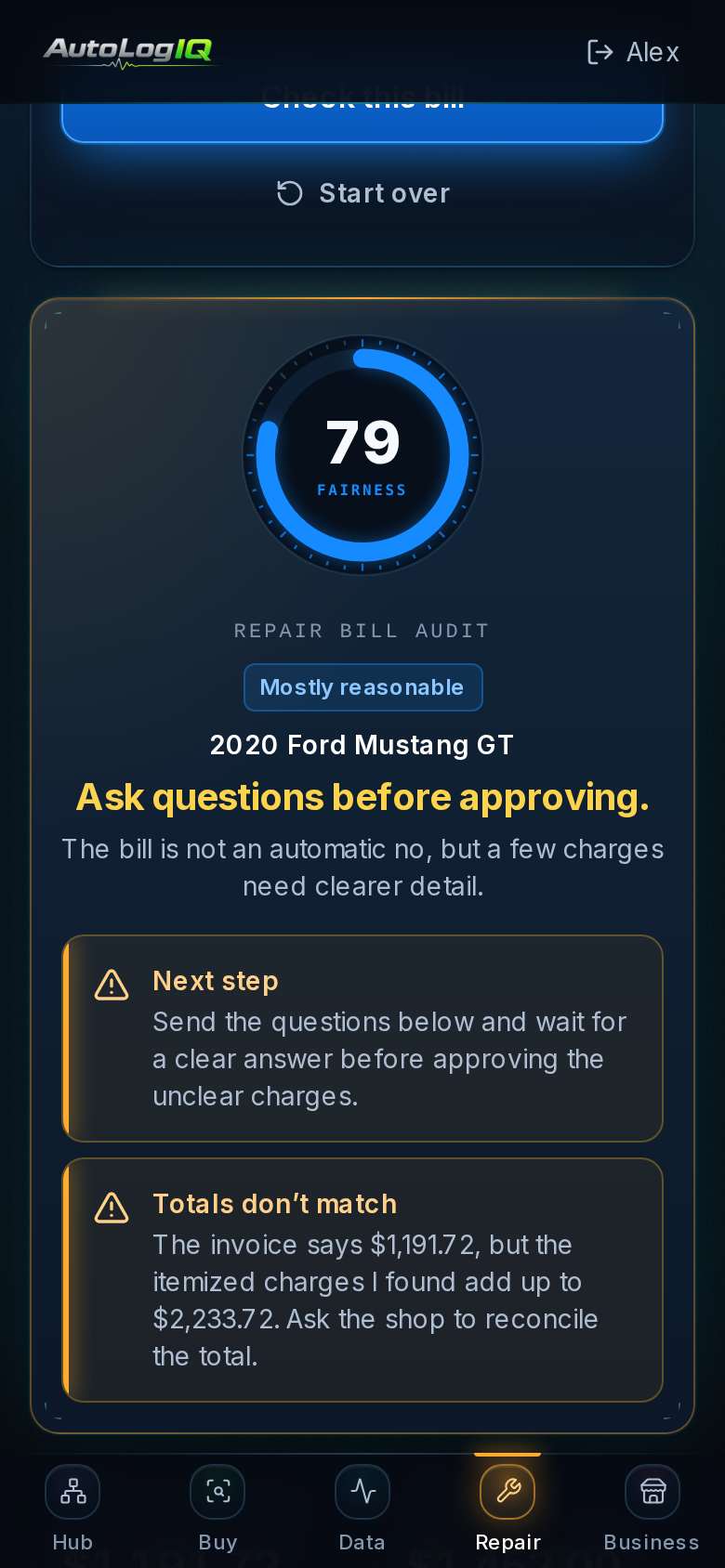
RepairLogIQ in a phone browser · sample data
Who it’s for
- Vehicle owners
- People standing at a repair shop deciding whether to approve work
- Anyone comparing estimates
How it works
- 1.Paste the estimate or bill and add the shop ZIP
- 2.RepairLogIQ checks each charge against market benchmarks
- 3.Review the verdict and what to ask before approving
What you provide
- The text of a quote or invoice (vehicle, line items, total)
- Your shop’s ZIP code for local labor rates
- Optional labor-rate range
What you get
- A fairness score and verdict
- Labor, parts and fees totals
- Each line checked against a market range, with questionable lines highlighted
- Questions to ask the shop and a recommendation
Core features
Fairness scoreLine-by-line checksLocal labor-rate contextQuestions for the shop
Desktop
Desktop app for Windows and Linux (private beta), including reading a photo of the bill.
Desktop app (private beta)Free or paid?
Free account: verdict, totals and the first three lines checked.
RepairLogIQ or Pro plan, or a single-report purchase: every line, issues and questions for the shop.
See pricingFree account · every app
Am I being charged a fair amount for this repair?
RepairLogIQ works in your browser with a free AutoLogIQ account.